Museums manage collections that include physical objects, digital assets, and supporting information. Over time, these materials can become difficult to organize when they are stored in separate systems or tools.
Daily work depends on clear, accessible information.
Curators, registrars, and other museum professionals need reliable information to catalog items, track movement, support research, and prepare exhibitions.
When information is scattered or inconsistent, routine tasks take longer and become harder to manage.
Museum collection management software brings collections, documentation, and workflows into one system. Teams can organize items, link digital assets to physical objects, and manage collections with greater clarity and control.
This guide explains how museum collection management software works, how museums use it, and what to consider when choosing collections management software.
How Does Museum Collection Management Software Work?
Museum collection management software (CMS) is a management system designed to help museums manage and organize their cultural heritage collections in one place.
It supports museum work by keeping collections structured, searchable, and intuitive to maintain.
The best museum collection management software tracks art, artifacts, and collection records with standards-based data entry. It stores structured information in a consistent form, enabling easy discovery of collection items, and ensures long-term sustainable collection management.
Staff can upload and manage materials within a web-based platform that supports cataloging, documentation, and collection tracking.
Many systems also support diverse collections, from historical objects to digital resources, while maintaining strong security and controlled access.
How Museums Use Collection Management Software
Museums use collection management software to keep collections organized and easily discoverable. The collection management system supports routine tasks, such as cataloging, tracking items, and responding to research requests.
Cataloging and Documentation
Staff records object details, update descriptions, and ideally maintain consistent records using standards-based rules. Clear data entry standards help reduce errors and keep information reliable. Over time, this builds a structured record of each item’s history, condition, and supporting documentation.
Collection Tracking
Teams track location, movement, and loans in one place. Staff can see where items are stored, when they move, and how they are used in exhibitions. This level of visibility helps prevent misplaced objects and supports better collection oversight.
Research and Access
Curators and researchers use the system to find materials quickly. User-friendly search tools support in-depth research and expand research possibilities by connecting related records. Information can be retrieved without switching between systems or separate files.
Public Access and Discovery
Museums can publish selected records through a website or search portal. Visitors and the wider community can explore collections online, and staff can control what remains private. Access settings help protect sensitive information while still supporting public discovery.
Where Basic Tools Fall Short
Many museums still rely on spreadsheets, shared drives, or general-purpose tools to manage collections. These tools can work for small datasets or tight budgets, but they become difficult to maintain over time.
Spreadsheets often break at scale. Records become inconsistent, and version control turns into a manual process. Staff may duplicate data or lose track of updates, which affects accuracy.
File storage systems lack structure. They store documents, images, and files, but they do not manage relationships between objects, records, and collection history. Important context can be lost when information is separated.
Disconnected systems create gaps. Teams switch between tools to complete a single task, which slows down work and increases the risk of errors.
Without a central system, maintaining reliable and complete records becomes harder.
Core Capabilities That Support Collection Management
Collection management software supports museum operations through these capabilities that keep records structured, accessible, and easier to manage:
Structured Collection Records
The collection of data follows standardized fields and consistent formats. Staff enter information in a defined structure, which reduces errors and keeps records aligned. It also makes updates easier when collections grow or when records need to be reviewed or corrected.
Metadata and Relationships
Metadata adds context to each record, helping to make the collection items easily discoverable. A single search will display related items and documents that are catalogued using the same metadata terms. This structure supports research and makes materials within the collection easier to find.
Search and Retrieval
Search tools help staff find records using filters, keywords, and defined fields. Faster retrieval reduces time spent navigating the system. Staff can locate materials without checking multiple sources or systems.
Digital Asset Support
Museums manage images, documents, and media alongside physical items. Digital files can be linked to object records so staff can manage all materials in one place. It keeps documentation complete and easier to access.
Access Control
Role-based permissions define who can view or edit records. Teams can control access based on roles, which helps protect sensitive information. It also supports collaboration without affecting data accuracy or control.
System Integration
Ideally, the system should include integrations that connect with archive platforms, library systems, and preservation tools. Integration reduces manual work and keeps data consistent between systems.
It also allows teams to manage collections without switching between disconnected tools.
How Soutron Improves Museum Operations
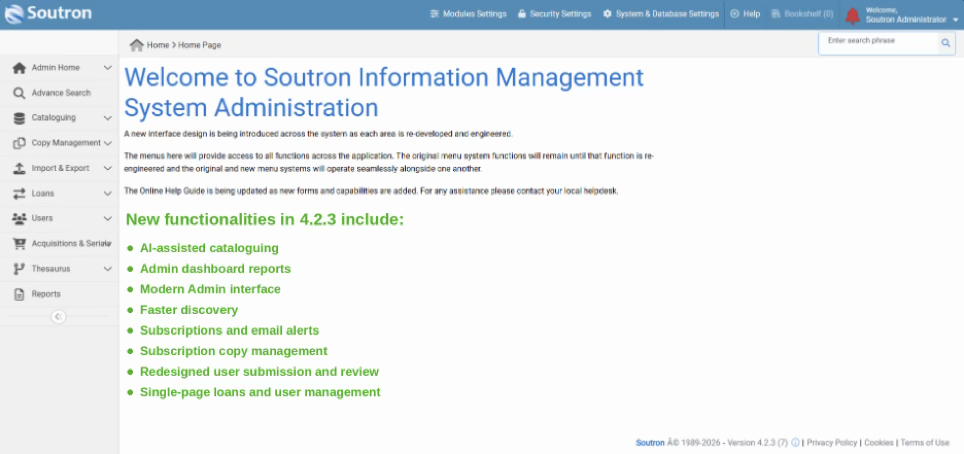
Soutron Global provides a dedicated solution for museums through our Museum Collection Management System. It supports both physical and digital collections in one system, keeping records consistent and easier to manage.
The Soutron CMS is designed for museums, galleries, and cultural institutions that manage complex collections.
Staff can catalog objects, track movement, manage loans, and maintain detailed records without switching between CMS systems. Search tools also make it easier and more helpful for staff to find and retrieve information if needed.
The system can connect with archive and library solutions to keep data aligned between collections. It also supports integration with digital preservation tools for institutions that need long-term access and control over their born-digital records.
Soutron delivers this as a secure SaaS solution with ongoing support, hosting services, training, and data migration. Teams can manage collections more efficiently while reducing manual work and system maintenance.
Manage Museum Collections With More Control
Managing museum collections requires clear structure, reliable records, and systems that support daily work. When information is organized in one place, teams can maintain consistency, improve access, and reduce time spent on manual tasks.

Museum collection management software helps bring records, workflows, and digital assets together. Staff can track collections more accurately, support research, and manage both physical and digital materials with better control.
Soutron Global provides a flexible, secure solution designed for museums, archives, and cultural institutions. With the Soutron CMS, teams can manage complex collections, maintain structured records, and improve access to information in their organization.
FAQs About Museum Collection Management Software
How is museum collection management software different from a DAM system?
Museum collection management software focuses on structured records, object history, and relationships between items, while a digital asset management (DAM) system manages media files. A CMS can combine object data, documentation, and context, including the original message or meaning behind an item, in one system.
Can museum collection management software handle digital assets?
Yes, museum collection management software supports digital assets such as images, documents, and media files. Staff can upload and manage these files in a system with internet access, keeping them linked to physical records.
Does museum collection management software support public access?
Yes, many systems offer the public a search portal that provides access to the collection, making their collections accessible to users around the world. Access settings help control visibility, enabling museums to better serve the public, museum members, and internal staff.