The spreadsheet has stopped coping. Perhaps it is a database built by someone who left years ago, or a desktop catalog on one machine in the registrar’s office, and now you have to recommend a replacement and a budget to go with it. The first obstacle is not price. It is that several software categories all claim to manage collections, and the one you choose determines what you can record, and retrieve, for the next decade.
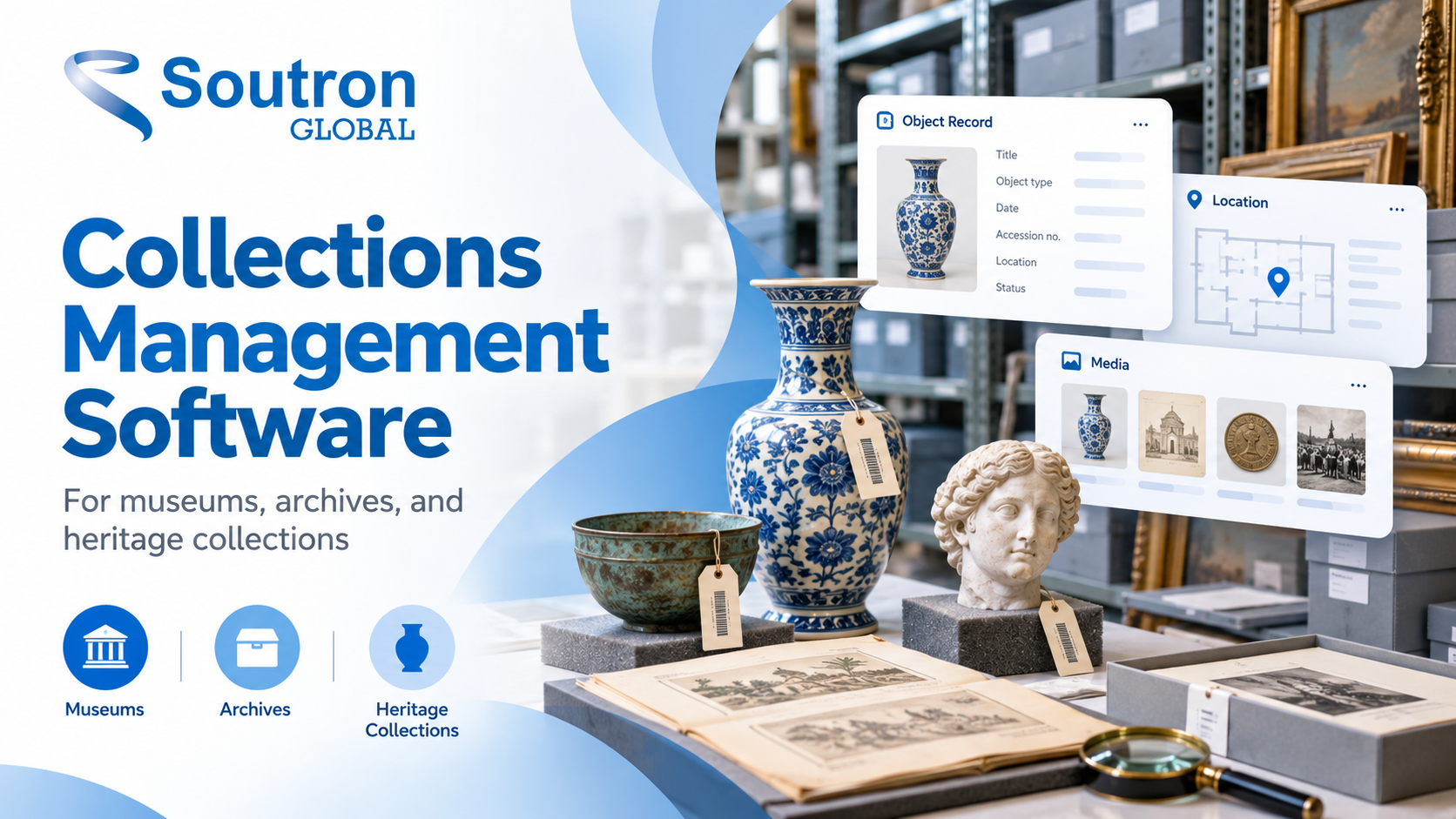
Collections management software sits at the center of that decision. This guide is for the registrar, collections manager or archivist making that recommendation, and the director or finance lead who approves it. If you already know your category and want the mechanics, how museum collection management software works covers that separately.
Two clarifications, because the words are shared: this covers museum, heritage and archive collections, not debt collections, and a collections management system is not a content management system that is used for managing website content, despite both being abbreviated to CMS.
What collections management software does
| Collections management software is the system of record for objects held by a museum, gallery, archive or heritage organization. It holds the catalog record for each object and tracks acquisition and accessioning, description, location and movement, loans and exhibitions, conservation documentation, rights and public access, from the point an object arrives to the point it is lent, returned or deaccessioned. |
A spreadsheet can hold a list, a movement log, even a validated dropdown of approved terms. What takes continuous effort is keeping those sheets linked, updating a term everywhere it has already been used, and holding permissions and history as the collection grows. Those are the capabilities worth testing in anything you shortlist.
The category is written both ways: vendors list collection management systems interchangeably, and you need to understand the difference.
Two distinctions do most of the work. Accessioning formally brings an object into the permanent collection and assigns it a unique number, and not everything that arrives is accessioned: incoming loans and unsolicited offers need recording without transferring title. Cataloging describes the object using controlled terminology rather than free text, so a search on a term returns the objects described with it rather than only those one cataloger happened to phrase that way.
Organizations holding archival material alongside objects also need hierarchical description, where a record sits inside a file, inside a series, and the relationship that object has with other records in the complete collection. That pushes some buyers toward an archive management solution.
Collections management system, DAM, records management system, ILS or archive system?
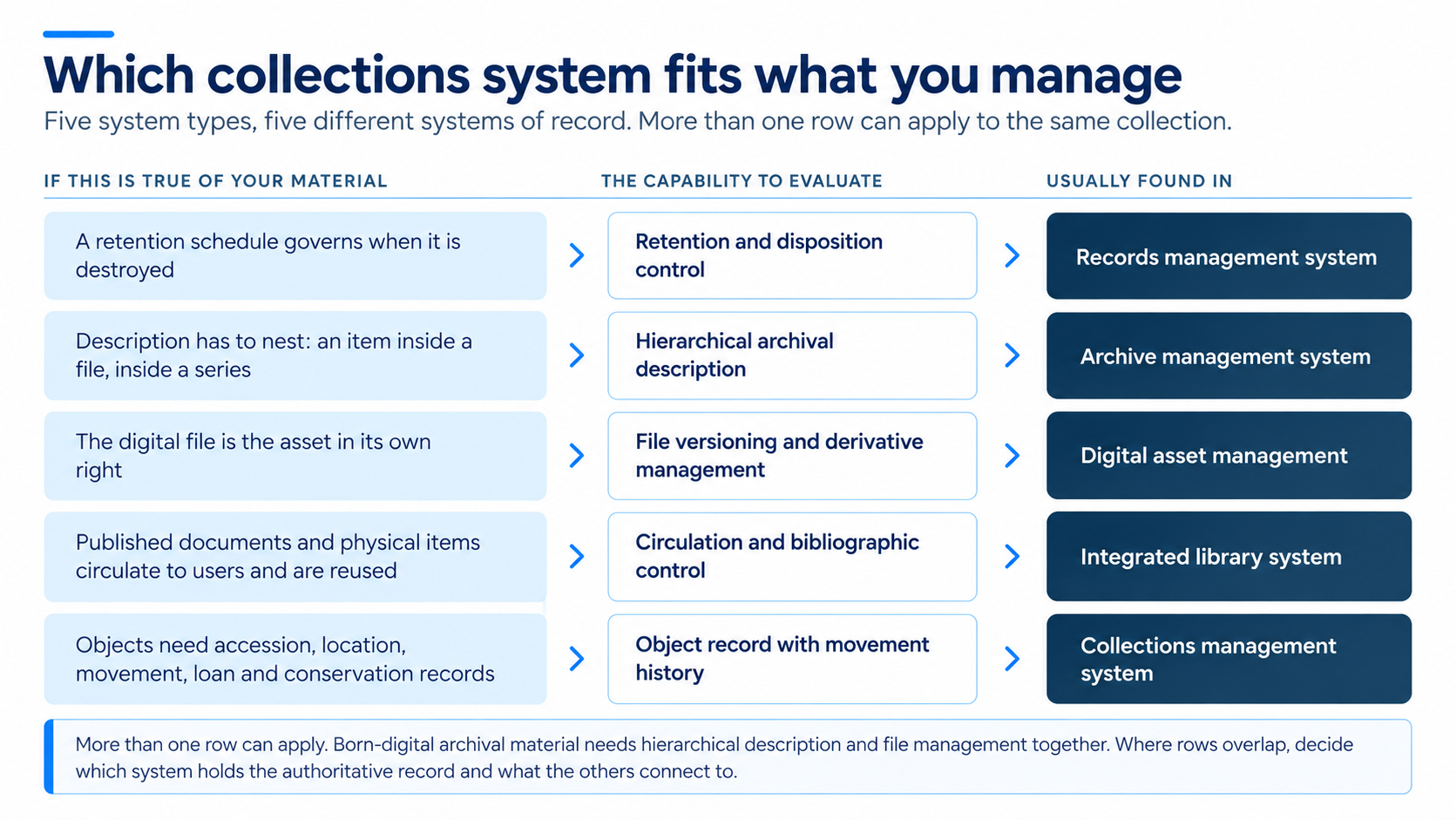
These five system types overlap in conversation and differ sharply in what they are built to hold. A system can satisfy every item on a feature list and still be the wrong product for your material and user access needs, which is the more expensive of the two mistakes to make.
|
System type |
What it is the system of record for | Core unit of description | Where buyers get it wrong |
|
Collections management system |
Museum and heritage objects |
The object or accession |
Assuming it will also manage image files and their versions |
| Digital asset management (DAM) | Digital files and their derivatives | The file |
Choosing it as the system of record for objects, then finding it does not support object provenance and physical movement workflows |
|
Integrated library system (ILS) |
Published knowledge documents and physical items that circulate | The bibliographic item | Trying to force hierarchical archival description into flat item records |
|
Archive management system |
Archival material, hierarchically described | The fonds, series, file and item |
Assuming it is an ILS with different field labels |
| Records management system | Business records under retention control | The record and its retention schedule |
Treating archives and records as the same obligation |
Two overlaps cause genuine confusion rather than simple error.
The first is between collections management and digital asset management. Digitizing a collection leaves you holding both. If that is your situation, it is worth understanding how a digital asset management workflow sits alongside a collection catalog before you choose either.
The second overlap is organizational rather than technical. A small team running both a library and an archive, which is common in corporate, association, healthcare and heritage settings, has to decide whether two systems and two interfaces should be combined into a single system.
What collections management software costs
Pricing is the hardest thing to find in this category and the first thing a finance lead asks for. The Collections Trust software directory lists around two dozen systems with no prices attached, which is the normal position: the figure depends on what you hold, not on a shelf price. That makes it worth understanding what moves the number before you ask anyone for a quote.
How the system is licensed: A subscription spreads the cost annually. A perpetual license costs more at the outset and then carries an annual support charge. Those two shapes diverge after the first renewal, so compare them over the period you expect to keep the system rather than over year one.
How much you hold, and how many of you there are: Record counts, storage for digital files and the number of named users are the variables a quote is commonly built from. Know all three before the first conversation.
What sits outside the core license: Treat migration, training, public access or portal modules, and integrations as separate questions. Ask for each as its own line rather than accepting a single figure, because these are the items that turn an affordable license into an unaffordable project.
Whether the system is open source: The license is free and the expenditure shifts to hosting, configuration and whoever maintains it, which is the calculation examined in this comparison of open-source and commercial total cost of ownership.
A quote that does not separate migration from licensing is incomplete. Hierarchical archival description, multiple sites and migration from a legacy database all change the figure, which is why systems that handle them are quoted individually rather than listed.
How to choose: eight criteria that decide your shortlist
There is no single best collections management software. The right system depends on what you hold, how it has to be described and who needs to reach it. These eight criteria separate systems once you look past the demo, and the third column is what to put to a vendor in writing.
|
What to check |
Why it decides the shortlist | What to ask |
|---|---|---|
|
Record structure |
Fixed fields force your material into someone else’s model; configurable ones do not | Can we add new fields and record types ourselves, or does that require you? |
| Location and movement | You need to answer where an object is now and where it has been |
Is movement recorded as a history, or does the current location overwrite the previous one? |
| Loans and exhibitions | These are either real records with dates, conditions and responsible parties, or free-text notes |
How are loans recorded, and can we report on everything currently out? |
|
Controlled vocabulary |
This is what keeps a catalog searchable in year five rather than year one | Can we maintain our own hierarchy of terms, and what happens to existing records when a term changes? |
| Digital files | What the system stores itself, versus links to, decides how you plan storage |
What file sizes and formats do you hold, and what do you link to instead? |
|
Access control |
Valuations and donor details are not public catalog content | How do we control which fields appear publicly and which stay internal? |
|
Data export |
Easy to leave until later, difficult to resolve afterwards |
What export formats do you support, and does an export include relationships and attached files? |
| Support scope | Configuration help, data fixes and training may sit outside standard support |
What is covered by standard support, and what is chargeable? |
Controlled vocabulary is the one most often underestimated, because consistency is a system capability as much as a cataloging habit. That argument is set out in this guide to metadata management software.
The standards that appear in procurement
Standards matter here for two reasons: they determine whether your descriptions can be understood outside your own system, and several are scored directly in tender documents.
Spectrum is the UK and Canadian museum collections management standard, now at version 5.1 and used internationally. Collections Trust describes it as a standard rather than software, noting it can be used with paper-based systems, and the current version sets out 21 procedures, nine of them primary. Collections Trust validates some systems from its Spectrum Partners as Spectrum Compliant as is the Soutron CAMS solution, so if you are buying in the UK or Canada, check that validation against the Spectrum standard rather than a vendor’s summary.
Nomenclature is the controlled vocabulary used to classify and name objects in North American museum and historical association cataloging, overseen by the American Association for State and Local History. Nomenclature 4.0 is the published print edition, and AASLH describes the online version as the most up-to-date version of the standard. The question for a vendor is therefore which version a system supports.The Art & Architecture Thesaurus from the Getty Research Institute belongs with criterion 4 above. It is a structured vocabulary for describing and indexing the visual arts and architecture, and a system that supports it saves you time. Dublin Core is a general-purpose descriptive metadata set used both to describe resources and to move records between systems, and CIDOC CRM is the conceptual reference model for cultural heritage information, relevant if you expect to contribute to a shared or linked-data platform.
For archival collections, ISAD(G) provides the framework for describing archival material, and ISAAR(CPF) covers authority records for the people, families and organizations connected to it.
One caution applies to all of them: a vendor claiming support for a standard is not the same as documented conformance. Ask what the support consists of.
Migration is the part worth testing before you sign
Migration is where a well-chosen system can still produce a disappointing result, and it gets less attention in buying guides than it deserves.
What has to move is not only records. It includes images and, more importantly, the links between images and the records they belong to; controlled vocabulary and the hierarchy behind it; accession numbers in their existing format; and location history rather than current location alone.
The failures are specific. A spreadsheet column used for three different purposes over fifteen years cannot be mapped cleanly to one field. A legacy database export can lose the relationships between tables while preserving the tables themselves. Image filenames renamed at some point no longer match the records that reference them.
What migration costs depends on the volume of records, how cleanly they map to the new structure, whether files and relationships come across with them, and the scope you agree. An estimate given without sight of your data stays an estimate.
| Thinking about a move from a spreadsheet or a legacy database? The most useful first step is to look at the data itself. Request a demonstration and talk through your migration requirements with our team, including how existing records, attachments and the relationships between them would be handled. Our data migration and conversion service covers data audit and analysis, cleansing, mapping and conversion. |
Where Soutron Global fits
Soutron Global is worth evaluating in more than one specific case: when your holdings do not divide neatly into one of the categories above, and the alternative on the table is splitting them across two or three systems. CAMS, a Soutron Global product, handles archive, library and museum collection types in one environment with union catalog searching across them. For a team being quoted for two or three separate systems, that is the comparison worth making, and the comparison of library and archive management systems shows how the components work separately or together.
For museum collections, Museum Management covers accessioning, object location and movement control, exhibition loans, conservation documentation, valuation and provenance, and a public access catalog, with stated standards support for Dublin Core, OAI, Z39.50, Z39.87 and MARC. Where the requirement is archival, Soutron Archive handles hierarchical description and states compliance with AACR2, RDA, ISAD(G), ISAAR and Dublin Core, and Soutron’s combined library and archive system gives one search interface across both. Digital preservation to prevent format obsolescence is optional, through the Trusted Digital Repository.
The Foundling Museum in London shows the mixed-collection case in a library implementation: books, fine art and music in one catalog, with configurable fields and thesaurus control. Per the Museum Librarian, Katharine Hogg: “We chose this software because of its flexibility, which allows us to customize all our databases.”
The technology behind CAMS has been in continuous development since 1972, and Soutron Global has worked with special collections libraries and archives since 1989. Soutron Global states that its hosting is ISO 27001 certified.
Frequently asked questions
Can collections management software replace a DAM?
Sometimes. Where your digital files are mainly reference images attached to object records, a collections management system that stores and serves them is usually enough. A separate DAM earns its place once files become deliverables in their own right, with multiple derivatives, rights and distribution to manage. The deciding question is whether anyone needs the file without the object record.
Who manages a museum collection?
Responsibility is divided between three roles: a registrar, handling accessioning, loans, movement and documentation; a collections manager, handling physical care, storage and access; and a curator, handling interpretation and research. In a smaller organization one person may hold all three, so ask the vendor to demonstrate the workflow with your actual staffing arrangement.
Can one system manage a library, an archive and a museum collection together?
Yes, though not every system is designed for it. The test is whether flat bibliographic records, hierarchical archival description and object records can coexist with one search across all three. Ask to see the hierarchy survive a search returning all three record types, because a demo of each one separately will not show you that.
What should I ask a vendor before buying?
Get three answers in writing before anything else: whether you can configure fields and record types yourselves, what an export actually contains, and what the migration quote covers. Each one determines work you will pay for after signing, so a vague answer to any of them is worth more attention than a missing feature on a comparison sheet.
Choosing the category before the product
Decide what capabilities your material needs before deciding which category to buy. Objects that are accessioned, moved, lent and conserved need an object record with movement history. Description that has to nest needs hierarchical archival description. Files that are assets in their own right need version and derivative management. Published items that circulate need bibliographic and circulation control.
Those requirements are not exclusive. Born-digital archival material needs hierarchical description and file management together, and where more than one applies the question is which system holds the authoritative record and what the others connect to.
To work through that against your own requirements, request a demonstration and we will take you through the options for your collection types.