Archive Management Software: What to Consider Before Buying
Archive management software (AMS) is designed to organize, manage, preserve, and retrieve archival materials, such as journals, reports, images, digital files, or objects.
An AMS also enables organizations to share any type of archival collection with the public or keep it available for private use.
However, not all archive management solutions are the same. Before investing, you should review several factors to find a system that fits your archival workflows, collection types, and long-term needs.
This guide helps you select the best archive management software.
7 Factors to Consider When Choosing the Best Archive Management Software
Here’s what you need to consider when evaluating different archive management solutions.
1. Collection Scope
Think about the size and type of archival materials you manage. Some archive management systems work well for small collections, but they may struggle with larger archives or mixed materials.
Modern collections typically include books, reports, photographs, art prints, audio-visual materials, and objects, in addition to their born-digital counterparts and other rare items.
Choose archive management software that can support both physical and digital formats in one database. Make sure it can track boxes, shelves, and file storage locations just as easily as PDFs, Word documents, or digital folders.
You should also consider the software’s scalability. Your collections may expand due to ongoing document intake or changing user requirements. Using a system that handles only a limited number of records may create problems later.
Plan for future digitization projects and new acquisitions before making a choice.
2. Archival Standards
Archival standards guide how you describe materials, organize collections, and share data with others.
Select archive management software that supports standards, such as AACRII, ISAD(G), DACS, RAD, EAD, or Dublin Core, within the application.
Built-in support for various archival standards ensures data consistency, interoperability, and long-term archiving.
If your AMS does not support these standards, you risk disorganized, inaccessible, or damaged collections.
3. Digital Preservation Capabilities
Digital preservation is no longer optional. U.S. cultural heritage institutions hold at least 4.8 billion items. Yet, 1.3 billion items are at risk and need treatment or better storage conditions to remain usable.
The right archive management system helps reduce that risk by offering preservation workflows or integrating with digital preservation solutions.
It should track file formats, version history, storage details, and even file integrity over time. This helps your team act early, fix issues, and protect archival records before damage becomes permanent.
4. Metadata Management
Metadata provides context like creation dates, authors, formats, and relationships between records. It transforms raw files into manageable and discoverable assets.
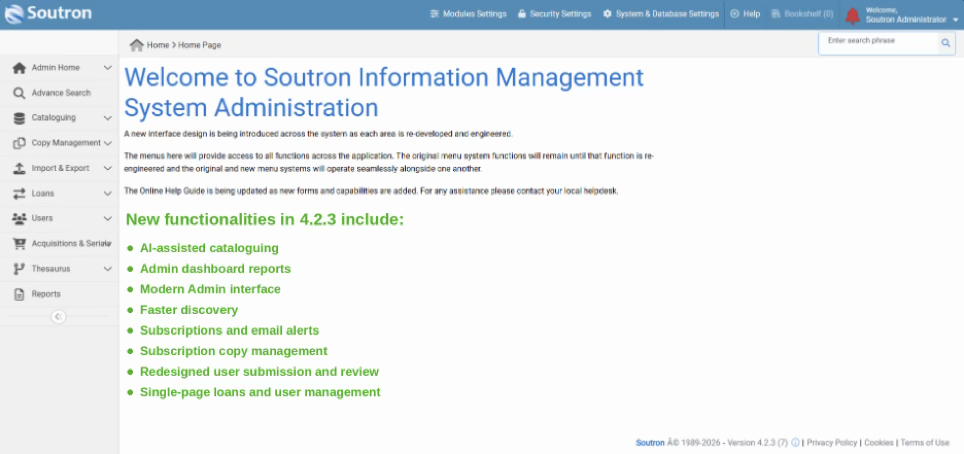
The best archive management software provides robust metadata management. With this feature, you can manage authority files, taxonomies, term lists, and thesauri to improve information organization and retrieval.
You should also look for a system that easily manages a metadata thesaurus of controlled vocabularies. These keep terms, abbreviations, and acronyms accurate and consistent.
Another factor to consider is API support. This lets you share metadata with other systems to ensure metadata governance across systems.
5. Search Portals and Public Discovery Tools
Patrons, members, and researchers want simple search tools to browse your entire collection efficiently. Meanwhile, internal users want to find and retrieve materials faster.
Look for an archive management system with modern search portals that support advanced search functions while being accessible on desktops, tablets, and mobile phones. These search portals benefit patrons and internal teams because they can start their search from any location or any device.
If you want to provide public access to your collections, consider search engine integration and social media API support. These capabilities help you promote resources to users around the world, which can improve information accessibility.
6. Secure Access
Choose an archive management platform that lets you control access to archival resources. Look for custom user roles, granular permission levels, and secure login portals.
These help you determine which modules, menu items, and information are available to internal and external users. They protect sensitive materials while still supporting community research.
In addition to strong access controls, consider archive management software with built-in security and auditing tools. These functionalities keep the database safe, which stores collection records, metadata, and digital archives.
If the database is not secure, records could be changed, deleted, or accessed without permission.
7. Total Cost of Archive Software
Cost is another factor to consider when evaluating different archive management solutions.
One of the first things you should review is the licensing fees. Some software vendors charge a one-time license fee, while some charge monthly/yearly recurring subscriptions. Confirm what the license includes and whether there are limits on users, records, or storage.
Next, calculate hosting costs. Some systems require you to host the software on your own servers. This is common with many open-source platforms. You must manage servers, storage, backups, and security, which demands internal IT support.
Other systems include hosting as part of the service. Cloud-based proprietary platforms usually manage hosting, security, and system updates for your archive.
Training fees can also add up. Staff need time and guidance to learn how to manage collections and records in the new system.
It’s important to consider the total cost of owning the archive management system, and not just the license fee.
What to ask vendors before you shortlist
The seven factors above tell you what to look for in a system. The four questions below tell you what you will live with after the contract is signed, and they are the ones evaluations most often skip.
How flexible is the data structure?
Archives rarely fit a fixed template. A photographic collection, a set of board minutes and an oral history archive each need different fields, and those needs change as collections grow. Ask whether you can add and rename fields yourself or whether every change is a support request. Ask what happens to existing records when a field changes. A system that locks you into its original data model becomes a constraint within a few years.
How are rights and copyright handled?
Most archives hold material they do not own outright, including donated collections, licensed images and third-party material with expiry dates. Check whether the system records rights status at item level, whether it can restrict what gets published based on that status, and whether it can flag material as rights expire. Without this, rights management ends up in a separate spreadsheet and someone has to remember to check it.
What does support actually include?
Support varies more than sales material suggests. Establish whether it covers configuration help or only faults, what the response commitment is, whether training is included or billed separately, and whether upgrades happen automatically or become projects of their own. Open source software carries no vendor obligation at all, which works if you have the in-house skills and costs you if you do not.
Who does the migration work?
Existing catalog data almost never maps cleanly into a new system. Ask who does the mapping, whether the vendor will run a test migration using a sample of your real records before go-live, which formats they accept, and what happens to data that does not map. Migration is usually the largest hidden cost in an archive software project, and the answer tells you how much of it will land on your team.
Where archive software evaluations usually go wrong
Four patterns account for most of the regret.
Comparing feature lists instead of workflows. Every system ticks most boxes on a feature grid. Run your three most common tasks through each shortlisted product using your own records, and time them.
Evaluating with sample data. Demonstrations use clean, well-described records. Your catalog has inconsistent dates, missing fields and legacy conventions. Ask to see the system handling a sample of your actual data.
Leaving the public catalog until last. If researchers will search the archive themselves, the public interface is most of what your organization will judge the project on. It deserves as much evaluation time as the staff interface.
Choosing for today’s collection. Most archives take on formats they did not plan for, often digital media or born-digital records. Ask what each system does with a format you do not currently hold.
Where to go next
If you are still working out whether an archive management system is the right category for your collection, the fuller guide covers what these systems do, which standards they support, and how they differ from document management, digital asset management and records management: What is an archive management system?
FAQs About Archive Management Software
What is archive management software?
Archive management software is technology that helps archives, libraries, museums, corporations, and legal firms organize and track their collections. It stores descriptive information about physical and digital materials in one place.
Many systems also include a search portal, thesaurus, and reporting. The right software can help staff manage records efficiently, enable users to find materials faster, and support sustainability over time.
What is the best archive management software?
The best archive management software depends on your collection materials, budget, and specific archival needs.
Compare shortlisted products against the seven factors above rather than looking for a single best option.
How to migrate data from legacy archive management systems?
Begin with a full review of your existing data. Remove outdated or duplicate records before moving data to the new system using a secure network. Don’t forget to test the migration with a small data sample first. After data transfer, review the system for errors.
Alternatively, you can team up with a software vendor like Soutron Global. As experts in data migration, they will evaluate your collections to identify the best way to move them safely and securely to their new home.