Most lists of the best knowledge management software are lists of employee wikis and customer-facing help centers. That is a sensible answer if your knowledge is a set of published articles maintained by a support team. It is the wrong answer if your knowledge includes a cataloged collection, a controlled vocabulary, a serial budget somebody has to justify, and material carrying a retention obligation.
This guide is published by Soutron Global, and we appear first because the list is ordered by fit for law firms and special libraries, not by market share or revenue. Every platform here is described from its own current product documentation, reviewed in September 2026, and every entry, including ours, names a limitation.
It covers ten platforms in two groups: systems built for legal and library information teams, and the general-purpose platforms those teams are usually asked to consider first. If you want a personal note-taking app or a customer-facing help center, this is not the right list, and the next section explains why those are different products rather than cheaper versions of the same one.
What is knowledge management software?
Knowledge management software captures, classifies and retrieves the knowledge an organization has already produced, so that it can be found and reused rather than recreated. In professional-services and library settings it typically combines cataloging, metadata and controlled vocabulary, search and discovery, access control, and reporting across both digital and physical material.
The category is confusing because one capability phrase can cover three different products sold to three different buyers.
A customer knowledge base publishes articles for customers or support agents, and success is measured in ticket deflection. An employee wiki or intranet captures internal documentation, and success is measured in adoption. A knowledge and collection management system describes, classifies and retrieves an organization’s own work product and information assets, and success is measured by whether a professional can find the right item, know it is the right item, and know whether it is authoritative enough to be used.
Most of what ranks for this search sits in the first two groups. If you want the wider category definition first, our guide to what knowledge management covers works through the distinctions in more detail, and there is a separate explanation of legal knowledge management for firms specifically.
Those three groups describe what the software is for. A second distinction cuts across them and causes just as much confusion in procurement, because knowledge management software is routinely compared against three neighboring system categories that do different jobs.
|
Category |
What it organizes | Typical owner | Where it stops |
|
Knowledge management software |
Know-how, work product, expertise, curated collections | Knowledge or library team | Not built for formal retention schedules or disposition |
| Document management system | Files and emails, organized by matter or project | IT, with practice groups |
Stores well, classifies weakly |
|
Integrated library system |
An acquired collection, its ordering, cataloging and circulation | Library or information services |
A traditional ILS is scoped to the collection rather than to internal work product, though several vendors now extend the same cataloging model to precedents and know-how |
| Records management system | Records governed by retention and disposition rules | Records or compliance |
Governs the lifecycle, not day-to-day reuse |
How we chose and compared these tools
Platforms are ordered by how completely they address six criteria for this specific audience, not by revenue, market share or review volume. The first three criteria carry the most weight, because they are the ones general-purpose platforms most often fail and the ones a library or knowledge team cannot work around. The last three separate closely matched systems rather than deciding the order.
The three that decide the ranking:
- Classification and controlled vocabulary: Does the system support a maintained taxonomy or thesaurus, or does it rely on free-text tagging and hope?
- Coverage of physical and digital material: Can it catalog and circulate a print item, or does it assume everything is already a file?
- Search and discovery across the whole collection: Does search reach the entire collection, including subscriptions and connected sources, or only content created inside the tool?
The three that break ties:
- Access control: Can permissions be configured to match real confidentiality obligations?
- Integration with existing systems: Does it connect to the document management system, intranet and research services already in place?
- Retention, audit and reporting: Is there an audit trail, and can the organization report on what it holds and what it uses?
You can apply the same six criteria to any system, including one that is not on this list, and your shortlist may well come out differently depending on which of the six matter most in your organization. Product descriptions come from each vendor’s own 2026 documentation rather than from review-site summaries, and where a vendor states nothing, such as a deployment model, this guide says so instead of guessing.
Knowledge management software compared
The table below summarizes the best knowledge management software options for this audience against the criteria that matter most in a legal or special-library evaluation: whether the system handles physical collections, how it is deployed, and how it is priced. Full entries follow.
|
Software |
Best for | Standout capability | Physical collections | Deployment | Pricing model |
| Soutron Global | Legal, corporate and special libraries where a library or knowledge team owns the collection | Cataloging and taxonomy across print and digital in one system | Yes, cataloging and circulation | Cloud or on-premise |
Single annual fee including support and hosting |
|
Lucidea Presto |
Special libraries and law firms consolidating scattered repositories | Unified knowledge center across internal and external content | Partial, via separate Lucidea products | Not stated | Not published |
| iManage Insight+ | Firms whose work product already lives in iManage | Context-driven discovery across matter and metadata fields | No | iManage Cloud only |
Not published |
|
Thomson Reuters HighQ |
Firms where knowledge sharing and client collaboration overlap | Expertise directories alongside wikis and work product | No | Cloud | Not published |
| Foundation Firm Intelligence | Firms answering experience and expertise questions | Normalizes data from time, billing, docketing and CRM | No | Not stated |
Not published |
|
NetDocuments |
Firms standardized on NetDocuments for documents and email | Legal Context Graph and AI search over the document estate | No | Cloud | Not published |
| Bloomfire | Enterprise teams with a large internal content estate | AI flagging of outdated and duplicated content | No | Cloud |
Quoted by scope, not per user |
|
Guru |
Teams that want answers delivered inside daily tools | Governed answers inside Slack, Teams and the browser | No | Cloud | Not published |
| Microsoft SharePoint | Organizations already committed to Microsoft 365 | Breadth, and the ecosystem built on top of it | No | Cloud or on-premise |
Published per-user rates |
|
Confluence |
Teams documenting projects and processes | Structured collaborative authoring | No | Cloud |
Published per-user rates |
The 10 best knowledge management software platforms in 2026
1. Soutron Global
Soutron Global provides library, archive and information management systems for organizations where a library, knowledge or information team is responsible for the collection.
Best for: law firm libraries, corporate and government special libraries, and knowledge teams managing both print and digital material.
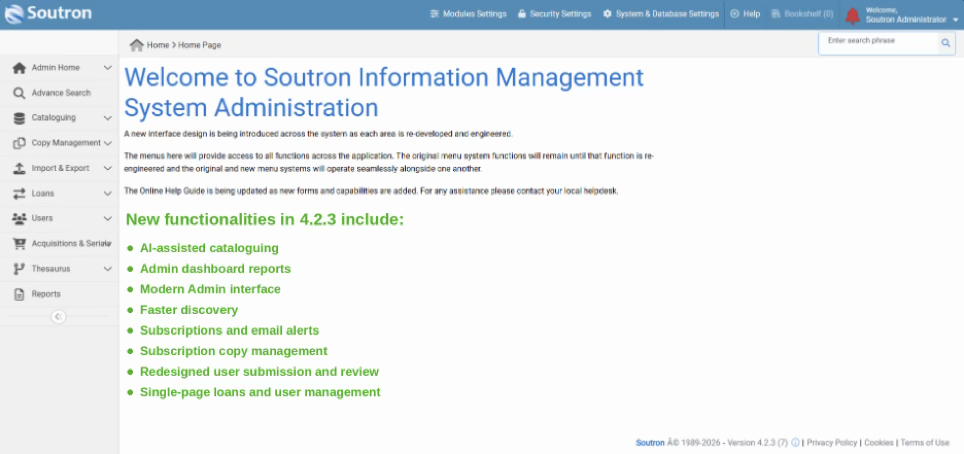
Capabilities: Cataloging, search and circulation of physical and digital resources run in one system. Search is full-text and fielded across metadata, taxonomies and controlled vocabulary, and firms can align taxonomies with legal standards including frameworks from the SALI Alliance. Practice-group and office portals support saved searches, reading history and alerts. Serials management tracks subscriptions, renewals, routing and usage analytics. Access is governed by configured roles and permissions, with single sign-on.
Where it sits in the stack: It does not replace a document management system. It integrates with iManage, SharePoint, Thomson Reuters Legal Search Connect and EBSCO, providing links to documents stored in those systems.
Deployment: Cloud or on-premise, with Soutron-led data migration.
Pricing: A single annual fee covering software maintenance, support and hosting.
Limitation: Built for firms with a library and with someone managing the description standards behind it, so a team wanting a self-service wiki will find it heavier than they need. Access is scoped by configured roles and permissions rather than matter by matter, which a firm requiring matter-level barriers should test early. Stinson LLP illustrates the consolidation case rather than the print-heavy one: 1,000 attorneys across 12 offices, a shrinking print collection, several access points replaced by one portal.
2. Lucidea Presto
Presto is Lucidea’s knowledge management system, positioned to “create, manage, find and share internal, external, structured and unstructured information from a single point.” Lucidea offers PrestoWorks as a separate product in the same portfolio.
Best for: special libraries and law firm knowledge teams consolidating content that currently sits across several repositories.
Capabilities: A unified knowledge center spanning internal and external repositories, faceted search, social features such as tagging and commenting, Active Directory and SAML authentication, and an API. Configuration is designed to be done without programming. Lucidea names law firms, professional associations, corporate organizations and academic institutions among its users, and offers an Essentia program aimed at smaller organizations.
Where it sits in the stack: Presto integrates with SharePoint through web parts and is positioned as the layer that unifies existing repositories rather than replacing them.
Deployment: Not stated on the product page. Worth asking directly.
Pricing: Not published.
Limitation: The physical-collection side sits in Lucidea’s separate library products rather than in Presto, so an organization managing both print and know-how will be evaluating more than one system from the same vendor.
Source: Lucidea Presto and Lucidea PrestoWorks, reviewed September 2026.
3. iManage Insight+
Insight+ enriches documents and emails with business context, turning what iManage calls a knowledge repository into an intelligence engine.
Best for: firms already standardized on iManage, where the work product is in the system and the problem is retrieval rather than storage.
Capabilities: It connects content with structured business data such as matters, expertise and metadata, supports discovery across more than 100 metadata fields, and powers natural-language questions grounded in firm-approved precedents. Curation workflows let knowledge professionals manage collections, which is unusual in this group and genuinely useful where a knowledge lawyer or professional support lawyer owns the precedent bank.
Where it sits in the stack: It is a layer on the iManage platform rather than a system in its own right, so it inherits whatever governance and access model the firm has already built there.
Deployment: iManage Cloud only.
Pricing: Not published.
Limitation: Because it is exclusive to iManage Cloud, it is not an option for firms on another document platform or not yet in the cloud. It works on documents and emails rather than a cataloged collection, so subscriptions, print holdings and serials stay outside it.
Source: iManage Insight+, reviewed September 2026.
4. Thomson Reuters HighQ
HighQ’s knowledge management capability aims to “provide a single, secure place where people can quickly find the information they need.”
Best for: firms and legal departments where internal knowledge sharing sits close to client collaboration, since HighQ carries both in one platform.
Capabilities: Wiki pages, documents and blog posts, searchable expertise directories that connect people to colleagues, and automated sharing of work product from subject-matter experts. The expertise-location element is the strongest part and addresses a question most systems here answer poorly.
Where it sits in the stack: It commonly runs alongside a document management system rather than replacing it, and firms that also need client-facing collaboration may find the two requirements met by one platform.
Deployment: Cloud.
Pricing: Not published.
Limitation: The strength is collaboration and expertise location rather than collection description. Nothing here catalogs an item, tracks a subscription or manages a loan, so a firm with a library function is buying a complement.
Source: Thomson Reuters HighQ knowledge management, reviewed September 2026.
5. Foundation Firm Intelligence
Foundation, from Litera, takes a different route. It “passively collects data from systems like time and billing, docketing, and CRM” and combines, maps and transforms that data to provide “a clean, normalized, single source of truth.”
Best for: firms whose most expensive unanswered question is “have we done this before, and who did it?”
Capabilities: Named capabilities span knowledge management, experience management, strategic relationship management, and search and reporting. Because the data is collected from systems the firm already runs, Foundation can reduce how much depends on lawyers contributing information manually.
Where it sits in the stack: It sits above the firm’s operational systems rather than holding content itself, which makes it complementary to both a document platform and a library system.
Deployment: Not stated on the product page.
Pricing: Not published.
Limitation: Foundation answers questions about matters and people rather than managing a described collection of documents or library materials, so it will not resolve a findability problem in the collection itself.
Source: Litera Foundation Firm Intelligence, reviewed September 2026.
6. NetDocuments
NetDocuments positions itself around connected context, combining document and email management with a legal AI and workflow line.
Best for: firms standardized on NetDocuments that want knowledge capability built on the document estate they already have.
Capabilities: Document and knowledge management, email management, and an AI line that includes a Legal Context Graph, AI search, an AI assistant and an app builder. It serves law firms of all sizes, in-house legal teams and public sector organizations, and its security and governance line goes further than role-based permissions alone.
Where it sits in the stack: Like Insight+, it is knowledge capability built on a document platform, so the evaluation is usually about whether to consolidate on that platform rather than which knowledge tool to add.
Deployment: Cloud, with regional hosting across the United States, United Kingdom, Germany, Australia and Canada.
Pricing: Not published.
Limitation: The value depends on the content already living in the platform. Physical collections, serials and a library catalog sit outside its scope entirely.
Source: NetDocuments, reviewed September 2026.
7. Bloomfire
Bloomfire is an AI knowledge management platform aimed at large enterprises with a substantial internal content estate.
Best for: enterprise teams with a genuine content-decay problem, particularly in customer support and operations.
Capabilities: Self-healing knowledge bases that flag outdated and redundant content, AI-powered enterprise search across structured and unstructured content, a conversational question-and-answer engine with subject-matter expert nomination, moderation workflows with version tracking, and an analytics suite.
Where it sits in the stack: It is a destination system rather than a layer, so content generally has to move into it or be indexed by it.
Deployment: Cloud.
Pricing: Quoted rather than published, but the model is unusual and worth knowing: plans are scoped as team-wide, department-wide or company-wide, and the company states it does not send “user-based invoices when the number of individual users in your plan increases.” Billing is on a multi-year basis.
Limitation: Built for the enterprise knowledge base use case rather than the professional-collection one, and not designed around the description standards a law library or special library works to.
Source: Bloomfire and Bloomfire pricing, reviewed September 2026.
8. Guru
Guru structures and governs company knowledge and delivers it into the tools people already use.
Best for: teams whose problem is that the right answer exists but nobody opens the wiki.
Capabilities: It detects conflicting information, merges duplicates, identifies gaps, auto-verifies content and flags material that has gone stale. Answers carry citations and are scoped by user role. Delivering a governed answer inside Slack, Teams or the browser, at the moment the question is asked, is what Guru does better than most of this list.
Where it sits in the stack: It is a delivery and governance layer over content held elsewhere, which makes it additive rather than consolidating.
Deployment: Cloud.
Pricing: Not published. Despite the self-service positioning, rates are scoped in conversation with sales.
Limitation: Guru has no concept of a collection, a catalog record or a subscription, so it sits alongside a library system rather than replacing one.
Source: Guru and Guru pricing, reviewed September 2026.
9. Microsoft SharePoint
SharePoint is the incumbent in many law firms and corporate organizations, and usually the first thing a buying committee is asked to justify moving away from.
Best for: organizations already committed to Microsoft 365 that want to extend what they have rather than add a platform.
Capabilities: Document storage, intranet publishing and collaboration across Microsoft 365, with permissions, versioning and search. A real market of firm-specific layers has grown on top of it, including Aderant Handshake and Infodash, which is often the more realistic path than SharePoint alone.
Where it sits in the stack: It is usually the substrate rather than the answer, which is why most systems in this guide integrate with it.
Deployment: Cloud or on-premise.
Pricing: Published per-user rates, which makes the license cost easy to model upfront. Check how occasional users are counted, since read-only access is often where the estimate moves.
Limitation: Cataloging, controlled vocabulary maintenance, circulation and serials management are not part of it, which is why firms with a library function typically run a knowledge or library system alongside it.
Source: Microsoft SharePoint, reviewed September 2026. Aderant Handshake and Infodash are cited from their own product pages.
10. Confluence
Confluence is a structured authoring and documentation platform, familiar to most technical teams.
Best for: documenting how work is done, particularly where engineering or operations teams are already in the Atlassian ecosystem.
Capabilities: Collaborative page authoring, spaces and page hierarchies, templates, and permissions at space and page level. Authoring is deliberately low-friction, which suits process documentation written by the people who do the work.
Where it sits in the stack: It holds authored content only, so it coexists with rather than replaces any system that manages acquired material.
Deployment: Cloud.
Pricing: Published per-user rates.
Limitation: Confluence assumes knowledge is written into Confluence. Anything the organization acquired rather than authored, and anything held in print, falls outside it, which is how it tends to become one more place to search rather than the place that resolves a search.
Source: Atlassian Confluence, reviewed September 2026.
What to look for in knowledge management software for a firm or library
Four considerations separate the systems built for this audience from those built for a support desk, and they matter more than any feature comparison. Each is a question about your own collection rather than about the software, which is why the answers outlast any shortlist.
Classification comes before search: Search quality is a function of description quality. A system that supports a maintained taxonomy, a poly-hierarchical thesaurus and agreed fields will return usable results, and a system that relies on free-text tagging will return a long list of near-matches and no answer. This is the decision that determines whether the collection is still usable in five years, and it is the reason metadata management sits underneath every other capability on this list rather than beside it.
Physical and digital belong in one place: Law libraries and special libraries still hold loose-leaf sets, treatises, multi-volume reports and routed journals. If the system cannot catalog and circulate a print item, the collection is split across two systems and neither one is authoritative. None of the four general-purpose platforms in this comparison handles it, which is often the point at which a generic shortlist quietly fails.
Access should match the obligation, not the org chart: Client work product carries confidentiality obligations that do not lapse because a document turns out to be useful on another matter. Systems differ here in ways that matter: some scope access through configured roles and permissions, while others add matter-level barriers, and the legal-specific document platforms tend to go furthest. Establish what your obligations require before you shortlist, because retrofitting access rules after migration is expensive and rarely clean.
Retention and audit are separate from reuse: Knowledge management governs what gets reused. Records management, the discipline represented by bodies such as ARMA International, governs what must be kept, for how long, and what happens at the end. The two overlap in practice and are regularly confused in procurement, so a team with formal retention obligations should read our records management software buyer’s guide alongside this list rather than assuming one system covers both.

For these criteria expanded into a full evaluation process, including the questions to put to vendors and how to weight the answers, our guide to choosing a legal knowledge management system sets out twelve criteria and a shortlisting method. For feature-level detail specific to firms, the law firm knowledge management software guide goes deeper on capture, curation and findability.
Where these criteria land in practice
If the four considerations above describe your situation, it is worth seeing how they translate into a working system. We have written up the approach for corporate and special libraries, including how cataloging, taxonomy and subscription management fit together for a knowledge team that owns the collection.
How much does knowledge management software cost?
Knowledge management software is typically priced in one of three ways: per-user subscription, a scoped or tiered platform fee, or a single annual fee covering the platform with support and hosting. Seven of the ten platforms in this guide publish no rates at all, so a realistic budget also has to carry migration, configuration, taxonomy work, integration and training.
Per-user subscription is the model used by the Microsoft and Atlassian platforms, and both publish their rates. It is transparent and easy to start with, and it becomes expensive at scale, particularly when occasional users need read access to material they will open twice a year.
Scoped or tiered platform pricing covers most of the rest. Bloomfire prices by the scope of the knowledge program rather than by user count, and the legal-specific systems are typically quoted on firm size, module selection or data volume.
All-inclusive annual fee covers the software with maintenance, support and hosting in one figure, which makes the year-two number predictable.
Ask every vendor to quote the work around the license separately: migration from the incumbent system, taxonomy design or clean-up, configuration, integration with the document management system, and training. Ask which are one-off and which recur, because a license figure on its own will not tell you the year-two cost.
One overlap is worth settling deliberately rather than discovering at renewal. A firm running a document platform with its own AI search alongside a library and knowledge system is buying partly overlapping capability, and the two purchases usually sit with different budget holders. That can be reasonable, since the systems index different material, but decide which is authoritative for which content and write it down before signing either contract. To build the internal case, our guide to measuring knowledge management ROI uses conservative assumptions rather than vendor arithmetic.
Frequently asked questions
What is the best knowledge management software?
There is no single best system, because the category covers three different products. If your knowledge is a published article set for customers or agents, a knowledge base tool is the right category. If it is internal documentation, an employee knowledge platform fits. If it is a described collection of work product, research materials and subscriptions owned by a library or knowledge team, you need a knowledge and collection management system. Establish which of the three you have before comparing vendors.
What are the top knowledge management software tools?
Ten platforms are compared in the table above, in two groups. Six serve legal and library information teams: a specialist library and knowledge management platform for law firms and special libraries, plus Lucidea Presto, iManage Insight+, Thomson Reuters HighQ, Foundation Firm Intelligence and NetDocuments. The other four, Bloomfire, Guru, Microsoft SharePoint and Confluence, are general-purpose platforms a shortlist will usually include, listed so the comparison is complete rather than convenient.
Is Confluence or SharePoint enough for a law firm or special library?
They are capable collaboration and storage platforms, and many firms run them well. The practical test is whether anyone in the organization needs to describe, classify, lend or renew something. If the answer is yes, those functions will have to be managed in another system or process alongside the platform.
What is the difference between a knowledge base and knowledge management software?
A knowledge base is a published set of articles, usually written for customers or support agents, and it is measured by whether readers find an answer without contacting anyone. Knowledge management software organizes an organization’s existing work product and information assets so professionals can find, assess and reuse them. The first creates content for an audience. The second describes content that already exists.
How long does it take to implement knowledge management software?
Ask which of two things will set your timeline: configuring the software, or preparing the data. An organization with a clean catalog and an agreed taxonomy can move relatively quickly. An organization with inconsistent description across several systems will usually spend most of the project on data preparation before configuration begins. Ask any vendor to base their estimate on a sample of your actual records rather than on a standard implementation plan.
Choosing the right fit
The vendor question is the second question. The first is which category you are actually buying, because a firm that purchases a help-center product to solve a cataloging problem will not discover the mismatch until migration, by which point the cost is sunk and the collection is split across two systems.
Work out who owns the collection, whether that is the library and information services team, a professional support lawyer or legal operations. Then answer three more questions: whether anything in the collection is physical, whether the description is consistent enough to search, and what your access and retention obligations require. Those answers eliminate most of this list quickly, leaving two or three you can evaluate properly. The best knowledge management software for a corporate library with 40,000 catalog records is not the same product as the best one for a 30-person firm with a precedent folder, and any vendor telling you otherwise is selling rather than advising.
If you want to test the fit against your own catalog and taxonomy rather than against a feature list, read how Soutron approaches legal library and knowledge management, then book a demonstration and bring a sample of your records.
Trademarks and attribution
All product and company names mentioned in this article are the trademarks or registered trademarks of their respective owners, and are used here for identification and comparison purposes only. Their use does not imply any affiliation with, endorsement by, or sponsorship of Soutron Global by those owners.
Presto and PrestoWorks are products of Lucidea. Insight+ is a product of iManage. HighQ and Legal Search Connect are products of Thomson Reuters. Foundation Firm Intelligence is a product of Litera. NetDocuments is a product of NetDocuments. Bloomfire is a product of Bloomfire. Guru is a product of Guru. SharePoint, Teams, Microsoft 365 and Active Directory are products of Microsoft. Confluence is a product of Atlassian. Handshake is a product of Aderant. Infodash is a product of Infodash. Slack is a product of its respective owner. EBSCO is a service of EBSCO Information Services. The Legal Matter Specification Standard is published by the SALI Alliance. Soutron, MINISIS and Auto-Graphics are products of Soutron Global.
Integrations named in the Soutron Global entry describe interoperability, not a partnership or reseller arrangement, unless stated elsewhere on this website.
Descriptions of third-party products are drawn from each vendor’s own publicly available product documentation, reviewed in September 2026 and cited at the end of each entry. Where this article states that a vendor does not publish something, such as a deployment model or a price, that describes the cited page on the date of review and is not a claim about the product’s capability.
If you represent one of the organizations named here and believe anything in this article is inaccurate or out of date, contact us at marketing@soutron.com and we will review it and correct the article where correction is due.