When an auditor, a regulator, or opposing counsel asks for a specific record, you can either produce it, complete and defensible, or you cannot. That single test is why compliance-driven teams eventually outgrow shared drives and general document tools, and start evaluating records management software built to govern information across its full lifecycle.
This guide is for the people who carry that risk: records and information managers, compliance and legal-operations leads, and the IT decision-makers who support them. It covers what the software does, how it differs from document management, how it maps to specific regulations, and how to choose a system that holds up when someone asks you to prove it.
What is records management software?
| Records management software helps organizations capture, classify, store, and dispose of records across their full lifecycle, in line with retention rules and compliance standards. It applies consistent metadata, controlled access, and audit trails so information stays findable, defensible, and secure, from creation through to authorized disposition. |
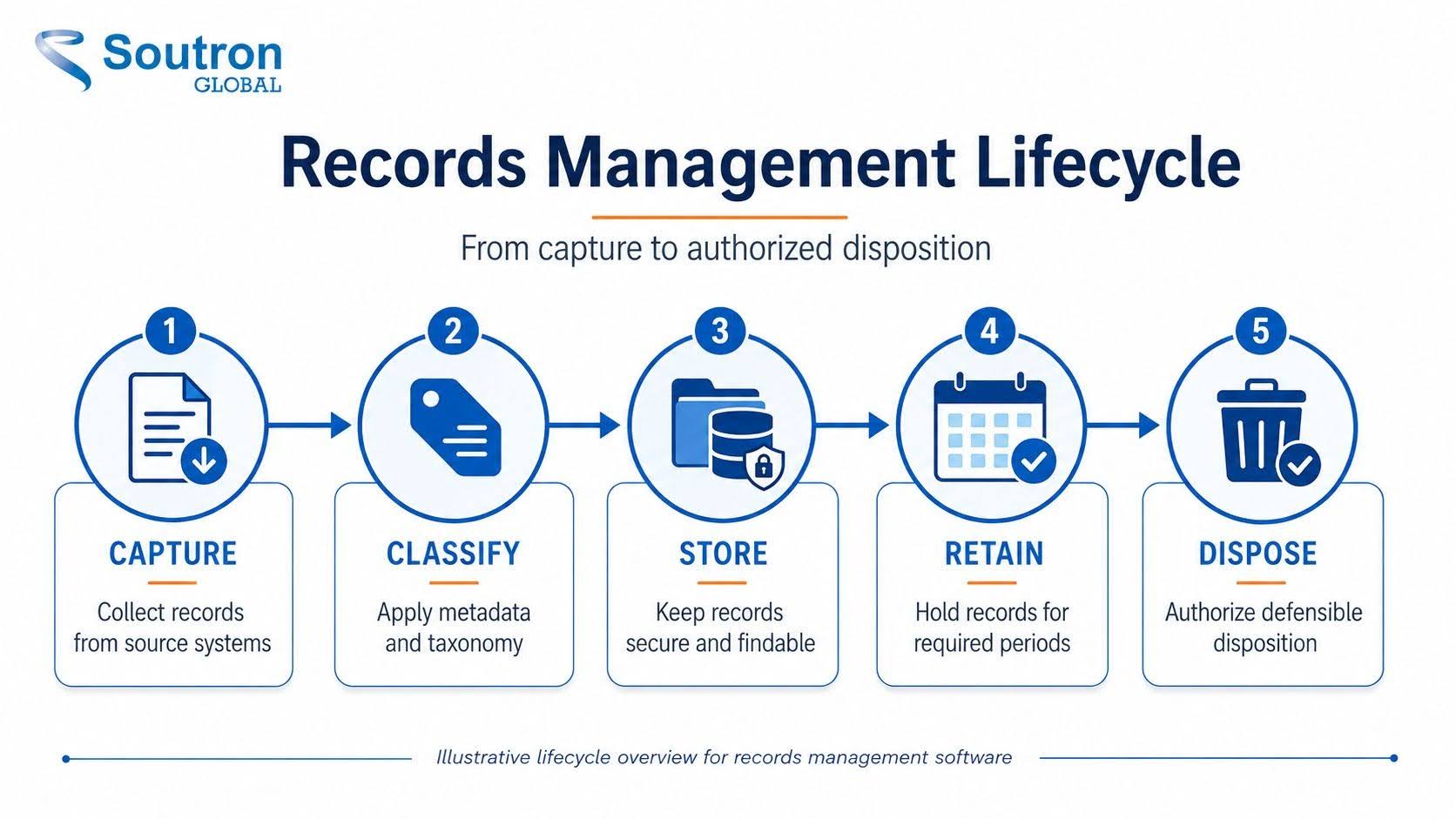
A record is not just a file. It is information you are obliged to keep, protect, and eventually destroy on a defined schedule, and a records management system governs that obligation at each stage. Records are captured and classified against a taxonomy, stored with the metadata that makes them retrievable, retained for as long as a rule or regulation requires, and then disposed of under authorization once that period ends. Understanding why records management matters at each of these stages is what separates a compliant program from a filing habit.
That lifecycle is the difference between a dedicated system and a place to keep documents. A basic shared drive is not built around records controls: it will typically hold a file indefinitely and let anyone with access change or delete it, often without a reliable trail. A records management system enforces how long each record lives, who may act on it, and what happened to it along the way, so that when the record is questioned, its history is intact.
What are the three stages of the records lifecycle?
The records lifecycle has three stages: creation or receipt, maintenance and use, and disposition. The National Archives and Records Administration applies this model to federal records, and most organizations outside government use the same structure. Disposition covers the actions taken on a record once it is no longer needed for current business.
Creation or receipt: A record enters the organization, either because someone produces it or because it arrives from outside. The decisions that matter most are made here: whether the item is a record at all, which class it belongs to, and which retention rule therefore applies. Classification at this point costs minutes. Reconstructing it later across thousands of items costs weeks.
Maintenance and use: The record is stored, found, referenced, amended where permitted, and protected. This is the longest stage and the one where most organizations lose control, usually because records drift into personal drives and shared folders that sit outside any retention rule.
Disposition: The retention period ends, and the record is destroyed, transferred to an archive, or kept permanently. Disposition is a decision that has to be evidenced, not just an action. In a dispute or an audit, being able to show that destruction followed an approved schedule is the point.
Three stages is the common model, not the only one. Some practitioners use a four or five-stage version that separates distribution and use from maintenance. The records continuum model, developed in Australian recordkeeping theory, treats the stages as overlapping rather than sequential, on the basis that a record is managed as both current and archival from the moment it is created. For most buyers, the practical difference is small. What matters is that the software enforces a rule at every stage rather than only at the end.
A records management system supports each stage differently. At creation it applies classification and a retention rule. During maintenance it controls access through configured roles and permissions and logs what happened to the record. At disposition it runs the schedule, holds anything under legal hold, and records the outcome.
Records management vs document management software
The short answer: document management helps you work on active documents, while records management governs information you must keep, protect, and dispose of on a schedule for compliance. The two overlap enough that buyers often shortlist the wrong category, so it helps to see where each system’s real purpose lies.
The confusion usually widens once enterprise content management, digital asset management, and archives enter the conversation, because all five handle “content” in some form. They part ways on one question: does the system treat information as something you actively edit, or as something you are obliged to retain and defensibly destroy? That distinction decides whether document and records management software will actually satisfy an auditor, or simply store files well.
| System | Primary purpose | Retention & disposition | Compliance focus | Typical users |
| Records management (RMS) | Govern records across their lifecycle | Core: scheduled retention and defensible disposition | High: built around standards and audit | Compliance, legal, government, RIM teams |
| Document management (DMS) | Create, edit and collaborate on active documents | Limited or manual | Moderate | General business users |
| Enterprise content (ECM) | Broad content platform spanning both | Varies by module | Varies | Large enterprises |
| Digital asset management (DAM) | Manage rich media and brand assets | Rarely | Low | Marketing, creative, archives |
| Archives | Preserve materials of long-term value | Permanent retention | Preservation standards | Archivists, libraries, museums |
A useful way to read the table: the further down you go, the less the system is built to let go of information on a defined schedule. Document management keeps things until someone decides otherwise. Records management is the category designed around authorized disposition as a core function, not an afterthought. Document and content platforms can add records controls through modules, but that is not their primary purpose, which is exactly the gap compliance-driven teams are buying to close.
Why compliance-driven teams need more than document storage
The cost of weak recordkeeping is rarely a single dramatic event. It surfaces the moment a request arrives and the record cannot be produced, cannot be trusted, or should have been destroyed years ago and was not.
In an audit, that produces findings and remediation work. In litigation, it can be far more serious. When records that should have been preserved are lost or altered, courts can impose sanctions for spoliation, including an adverse-inference instruction that tells the jury to assume the missing evidence was unfavorable. The inability to demonstrate defensible disposition, meaning records were destroyed under a documented, consistently applied schedule rather than selectively, carries its own risk, because irregular deletion can look like concealment.
The specific pressures vary by sector, even where the exposure does not. Financial firms answer to SEC Rule 17a-4 and Sarbanes-Oxley, healthcare organizations to HIPAA, government agencies to NARA’s federal records requirements, and law firms to ethical duties governing client files and litigation holds. Across larger, multi-department organizations, enterprise records management software becomes the practical way to apply one provable standard everywhere, rather than letting each team keep records its own way. Recognized frameworks such as ISO 15489 exist precisely because ad hoc recordkeeping does not survive scrutiny.
What features should records management software have?
This is where evaluations are won or lost. Nearly every vendor will claim the capabilities below, so the useful skill is not listing features, it is knowing what to ask and recognizing a solid answer when you hear one. Use the right-hand column as your baseline when you compare systems, and treat the questions as more revealing than the feature checkboxes.
| Capability | Why it matters | What to ask a vendor |
| Records classification & taxonomy | Consistent classification makes records findable and auditable. | Do you support a controlled vocabulary or thesaurus? |
| Retention & disposition scheduling | Enforces how long records are kept and when they are destroyed. | Can retention rules be automated and evidenced? |
| Legal hold | Suspends disposition when litigation or audit is anticipated. | How are holds applied and released? |
| Audit trail & chain of custody | Proves who did what and when, which is essential for defensibility. | Is every action logged and tamper-evident? |
| Access control & security | Limits who can view or change records. | Is access role-based, and how is it managed? |
| Metadata & standards support | Aligns records to recognized standards. | Do you support ISO 15489 and Dublin Core metadata? |
| Search & retrieval | Fast, accurate retrieval under audit pressure. | How does search handle metadata and full text? |
| Integration | Records live in other systems too. | Do you integrate with SharePoint, iManage or similar? |
| Deployment & migration | Fit with IT policy and a safe switch from legacy tools. | Do you offer SaaS and on-premise, with migration support? |
| Reporting & compliance dashboards | Evidence for auditors and leadership. | What compliance reporting is built in? |
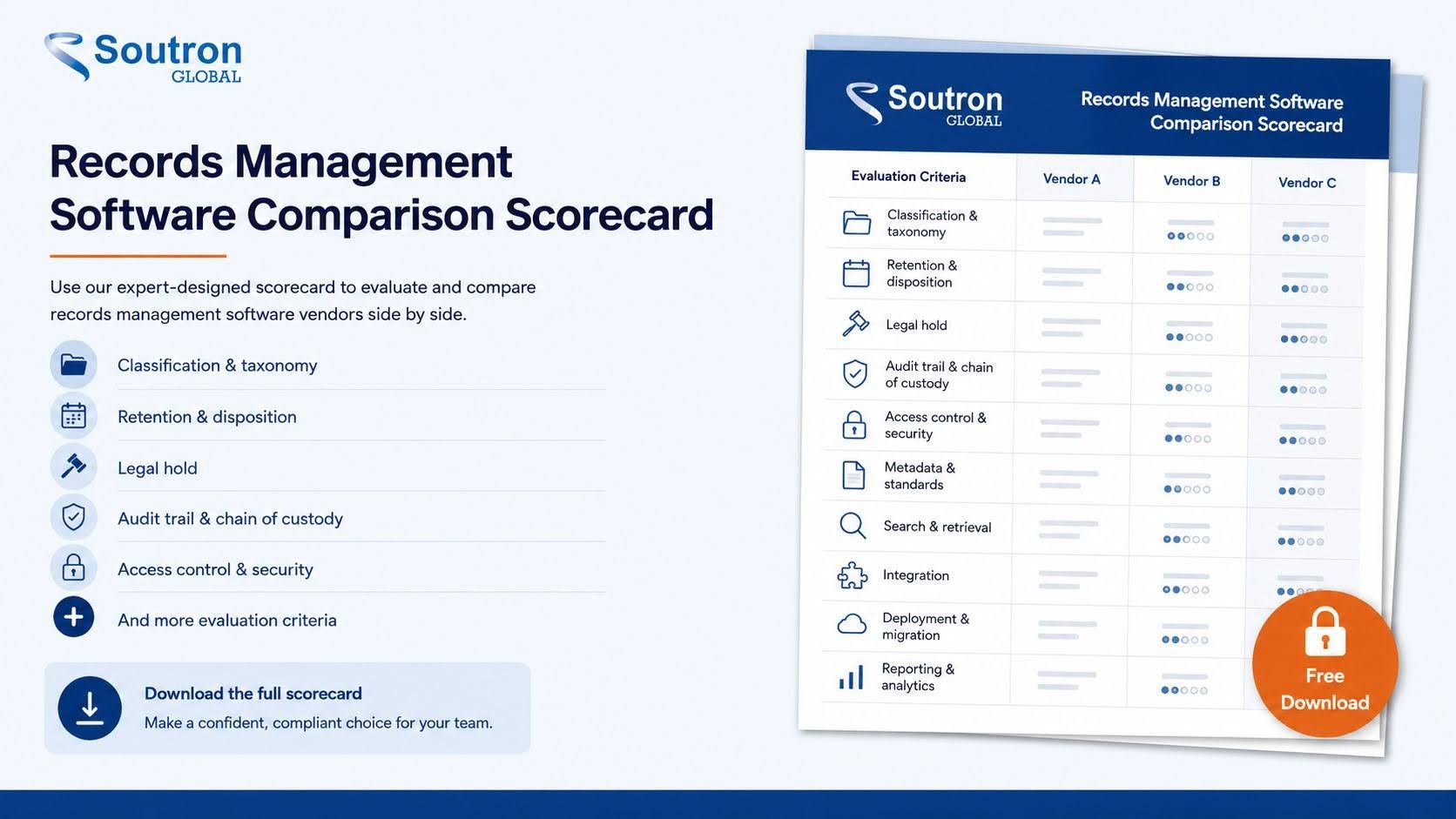
Read the table as a hierarchy, not a wish list. Classification, retention scheduling, audit trail, and access control are the non-negotiables for most compliance programs, because they are usually central to proving defensible recordkeeping, though your exact priorities depend on the regulations and record types you handle. Search, reporting, and integration shape how much the system helps day to day. A tool can score well on convenience and still fail the defensibility test, so weight the top of the list most heavily. The practical way to do this is to turn each criterion into a scored line and rate every shortlisted vendor against it, which keeps the decision grounded in evidence rather than the strongest sales demo.
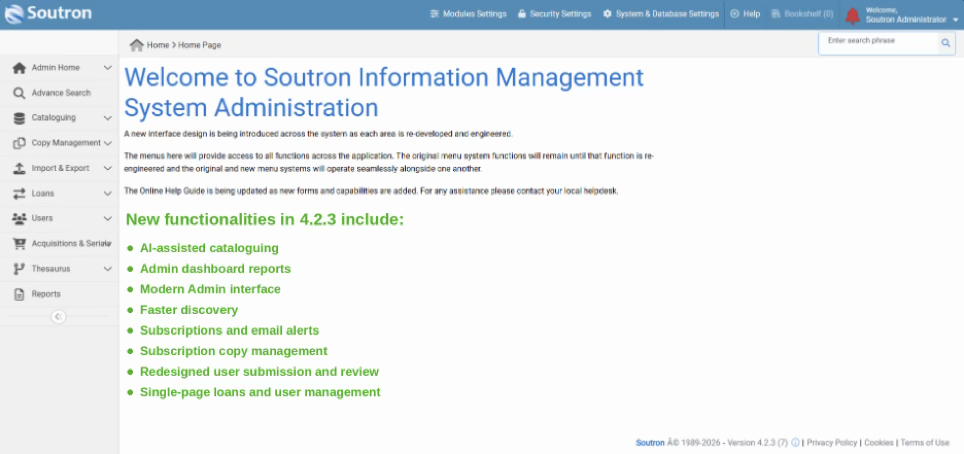
Where a records management solution such as Soutron fits these criteria is worth stating specifically. Classification runs on a poly-hierarchical thesaurus and controlled vocabulary, so records stay consistently cataloged rather than tagged ad hoc. Access is role-based, defining what each user can view or change, and the software is hosted on ISO 27001 certified infrastructure. It integrates with SharePoint and iManage where records already live in other systems, and deploys as SaaS or on-premise, with data migration and metadata cleansing when you are moving off a legacy tool. At the Commonwealth Secretariat, where document security is described as paramount, the Soutron system logs who accessed and downloaded each document and keeps sensitive papers available only on request, a working example of the audit trail and access controls this section describes. Match those specifics against your own must-haves rather than taking any capability on trust.
How does records management support compliance?
Compliance rarely rests on a single regulation. Most teams answer to several at once, each with its own demands for how records are retained, protected, and disposed of, and the value of good software is that it turns those overlapping obligations into consistent, provable practice. The table below maps the standards that come up most often against what each one requires and what the software category does to help.
| Standard / regulation | What it requires | How records software helps |
| ISO 15489 | The international standard for records management principles and processes. | Provides the lifecycle, metadata and disposition framework it describes. |
| Sarbanes-Oxley (SOX) | Integrity of financial reporting and controls; related audit and review records are generally retained for seven years. | Enforces retention schedules and tamper-evident audit trails for in-scope records. |
| HIPAA | Safeguards for protected health information, plus six-year retention of HIPAA-required compliance documentation. Medical-record retention is set separately by state law. | Controls access, logs every action on protected records, and applies retention rules to the relevant document types. |
| GDPR | Lawful handling and timely disposal of personal data. | Supports defensible disposition and data minimization. |
| SEC Rule 17a-4 | Preservation of specified broker-dealer records, using either WORM storage or an audit-trail alternative that can recreate a record if it is altered or deleted. | Supports the required retention periods and a time-stamped audit trail of changes, where the system is configured to meet the rule. |
Two things are worth drawing out. First, the same underlying controls, retention scheduling, access management, and a tamper-evident audit trail, support requirements across several of these frameworks, which is why a system built around defensible recordkeeping tends to help with more than one regulation at a time rather than one in isolation. Second, notice how GDPR and SEC Rule 17a-4 pull in opposite directions: one obliges you to dispose of personal data once its lawful basis ends, the other to retain certain records in a form that cannot be altered or deleted. A capable system lets you apply both rules to different record types without conflict, which is exactly the kind of nuance general file storage cannot handle.
Software supports a compliance program rather than delivering compliance on its own; the specific obligations vary by jurisdiction, record type, and framework, so configuration should follow the retention schedules and policies that apply to you.

How to choose the right records management system
Choosing well is less about finding the most feature-rich system and more about matching one to obligations you have already defined. Work through it in order.
1. Map your records and retention obligations first: Before looking at any tool, document what records you hold, which regulations govern them, and how long each type must be kept. The software should fit these rules, not the other way around.
2. Separate must-have from nice-to-have features: Using the criteria above, mark which capabilities are non-negotiable for your compliance program and which are conveniences. This is what keeps a polished demo from steering the decision.
| Compare systems on the criteria that matter. Turn these criteria into a scored, side-by-side comparison. Download the Records Management Software Comparison Scorecard to rate each vendor against your must-haves before you shortlist. |
3. Bring compliance, IT, and records owners in early: The people who own the risk, run the systems, and manage the records each see a different part of the picture. Involving them before the shortlist avoids a choice that satisfies one group and fails another.
4. Test integration and migration against your real systems: Ask vendors to show how records move off your current tools and how the system connects to where records already live, such as SharePoint or iManage. A migration proven on your own data is worth more than any promise.
5. Check the security and access model: Confirm access is role-based, so permissions reflect what each person is allowed to do, and ask how the audit trail records every action.
6. Score shortlisted vendors side by side, then book demos: Rate each vendor against your weighted criteria first, so the demos confirm a decision rather than create one.
What changes at enterprise scale
An enterprise records management system is not simply a larger version of a departmental one. Four things change, and they are worth testing in a demo rather than taking on trust.
Multiple record classes under one schedule: Finance, HR, legal and operational records carry different retention periods and often different regulators. The question is whether one schedule can hold all of them with different rules, or whether each department ends up with a separate instance to administer.
Physical and electronic in the same system: Most organizations of any size still hold paper. If boxes, files and deeds are tracked in a separate spreadsheet, the retention schedule only ever covers half the estate. Barcode tracking and a movement history for physical items should sit in the same database as the digital records, not alongside it.
Administration without a specialist: At scale, the people who maintain classification schemes and retention rules are rarely the people who bought the system. Ask who can change a retention rule, what that takes, and whether it requires the vendor.
Integration with where work actually happens: Records are created in email, in document management systems and in line-of-business applications. A records system that requires manual filing will be bypassed. Check what connects, and whether the connection carries the metadata or just the file.
Questions buyers often overlook
Most shortlists compare features and price. These are the questions that separate a smooth rollout from an expensive surprise, and they are worth asking before you sign.
| Area | Question to ask |
|---|---|
| Data portability | Can we export our records and metadata in usable formats if we ever leave? |
| Implementation & support | Who configures the system, migrates the data, and trains our administrators? |
| Hosting & residency | Where is our data hosted, and what security certifications apply? |
| Scalability | What happens to performance and cost as records, users, and departments grow? |
| Total cost of ownership | What is recurring versus one-time, including migration, integrations, storage, and support? |
| Ongoing administration | How much internal IT or records-team effort does the system need to run? |
Frequently asked questions
How long does it take to implement records management software?
It depends on your data volume, the integrations you need, and how much legacy data must be migrated and cleansed. A typical project covers configuration, migration, access setup, and administrator training. Ask vendors for a timeline based on your actual record counts and source systems, rather than a generic figure.
Can records management software manage both physical and electronic records?
Yes, capable systems track physical items, often with barcodes and a movement history, alongside electronic records in one catalog. That lets you locate a box in off-site storage and a digital file through the same search, and apply retention and disposition rules to both.
What are the 4 types of records?
Records professionals use several overlapping classifications. A common set is active records, used regularly in daily operations; inactive records, kept for reference or compliance but rarely accessed; vital or essential records, critical to continuing operations after a disruption; and archival records, preserved for long-term historical or legal value. These overlap in practice, since a vital record can also be active, and the groupings guide how each record is stored, retained, and eventually disposed of.
What should we prepare before a records management software demo?
Bring your record types and volumes, the regulations that apply, any existing retention schedules, the systems you need to integrate with such as SharePoint or iManage, and your must-have criteria. A demo is far more useful when the vendor can walk through your scenarios instead of generic ones.
What should a records management software RFP include?
Cover functional requirements such as classification, retention, disposition, audit trail, and access control, then integration and migration needs, security and hosting certifications, deployment options, support and training, and total cost across licensing, implementation, and storage. Scoring vendors consistently against these is exactly what a comparison scorecard is for.
What does ROT stand for in records management?
ROT stands for Redundant, Obsolete, and Trivial data: information that is duplicated, outdated, or holds no business value. Regularly clearing ROT reduces storage costs, lowers risk, and makes the records that actually matter easier to find and defend.
Who is responsible for records management in an organization?
A records manager typically leads the program, setting policy, retention schedules, and classification. In practice, responsibility is shared: compliance and legal define the obligations, IT maintains the systems and security, and every employee who creates or handles records plays a part. Clear ownership at the top with shared accountability across the organization is what keeps a program working.
How much does records management software cost?
There is no single price. Cost depends on the number of users, whether you deploy in the cloud or on-premise, the volume and complexity of your records, the integrations you need, and the migration effort in moving off existing systems. Because these vary widely, the practical step is a scoped conversation with a vendor about your specific requirements.
Choosing with confidence
The best records management software for your team is not the one with the longest feature list. It is the one that fits the obligations you have already mapped, proves what happened to every record, and lets you produce a clean, defensible answer the moment someone asks. Start with your retention rules and your regulators, weight the criteria a court or auditor would actually examine, and let the demos confirm a decision your evidence has already pointed to. Get that right, and the system stops being a filing cabinet and becomes the thing that lets you say yes, with confidence, when the request comes.
| Important decisions shouldn’t be taken lightly. If a records management solution is on your roadmap, we would be glad to show you how Soutron handles classification, retention, role-based access, and audit trails against the obligations your team actually carries. It is a conversation, not a sales push. Request a Demo |